
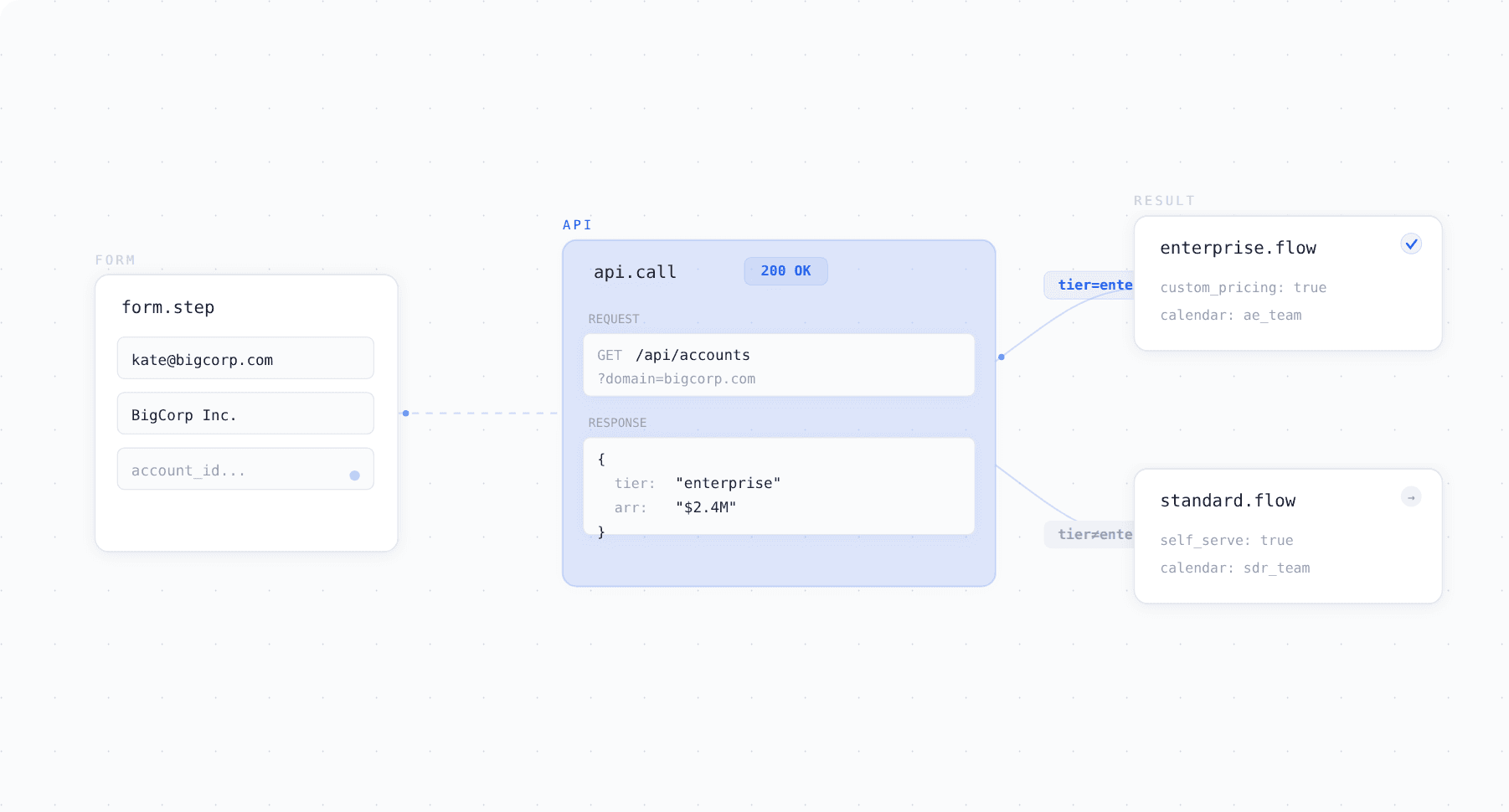
Surface lets you make real time API calls inside your form logic so the form can pull live data from your CRM, product database, or any external system and adapt accordingly.
The Problem
Most forms are static. They collect the same fields in the same order regardless of who the prospect is or what your systems already know about them. If you want the form to check whether someone is an existing customer, verify an account tier, or validate a discount code, that logic has to live outside the form in a separate backend your engineering team builds and maintains.
That means forms can't react to live data. They collect information, pass it downstream, and let your team figure out what to do with it after the fact.
How API Integration Works in Surface
Surface lets you configure API calls directly in the Logic tab. You specify the endpoint URL, request method, headers, and parameters. When a prospect reaches a certain step or enters specific information, Surface triggers the call and uses the response to control what happens next.
The API call runs in milliseconds while the prospect is still on the form. They don't experience any delay or interruption.
What You Can Build
Surface uses API responses to control form behavior and routing in real time. A few examples:
| API call | What happens in the form |
|---|---|
| Check if email exists in your CRM | Show returning customer flow instead of new sales |
| Pull account tier from your product database | Adjust questions and routing based on their plan |
| Verify company domain against a blocklist | Block the submission or flag for review |
| Validate a discount code against your billing system | Confirm or reject the code inline |
| Check account balance or subscription status | Display personalized next steps based on their account |
The form adapts dynamically based on live data from your systems, not just static rules. If the API confirms someone is an existing customer, route them to account management. If it returns enterprise tier information, adjust the qualification path accordingly.
Why This Matters
Without API integration, forms are disconnected from the rest of your stack. They can't check your CRM, can't verify account data, and can't personalize the experience based on what you already know about a prospect.
With it, the form becomes an extension of your systems. It pulls live data, makes decisions, and routes leads based on real account information, all before the prospect finishes filling it out.
Frequently Asked Questions
Can I connect any API to Surface forms? Yes. Any external API that accepts HTTP requests can be integrated. You configure the endpoint, method, headers, and parameters in the Logic tab.
Do API calls slow down the form? No. API calls run in milliseconds in the background. The prospect doesn't experience any delay.
What can I do with the API response? You can use it to control branching, change which questions appear, adjust routing, display personalized content, or block submissions based on the returned data.
Do I need engineering support to set this up? You need to know the API endpoint and authentication details, but the configuration itself is done through Surface's visual Logic tab. No code inside the form.
Can I chain multiple API calls in one form? Yes. Different steps in the form can trigger different API calls, each using their own endpoints and parameters.