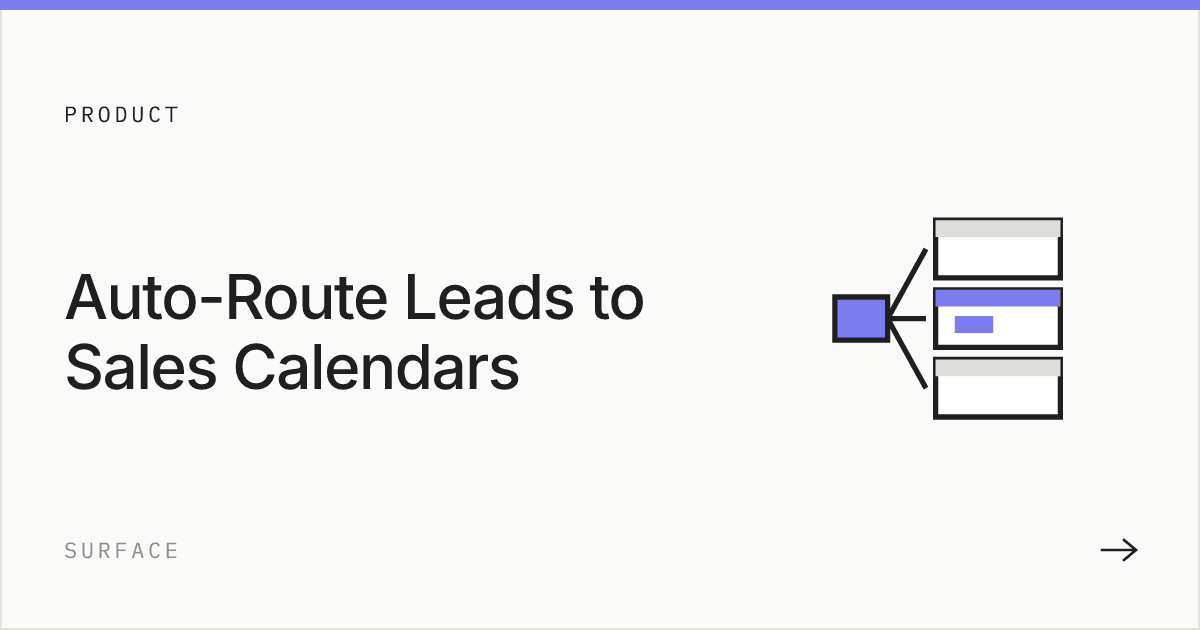
Ideal inbound lead routing logic combines four signals into one decision: company size, ICP fit, territory, and rep capacity. The system checks who the lead is, matches them to the rep who covers that segment and has room on their calendar, and books the meeting immediately. A fallback rule catches anything that doesn't match a defined segment, so no lead sits unassigned.
Round robin is the default for most teams. New lead comes in, next rep in line gets it. Fair. Simple. And completely wrong once your sales org has any kind of segmentation.
A 500 person enterprise submits a demo request and gets assigned to your newest SDR because it was "their turn." A 10 person startup lands on your enterprise AE's calendar and gets a pitch designed for procurement committees. Both calls go badly. Both were preventable.
The moment you have different reps for different segments, round robin stops working. You need to route based on who the lead actually is.
Why company size and ICP fit matter for routing
Your enterprise reps talk differently than your SMB reps. They ask different questions, run different demos, quote different pricing. Putting the wrong lead in front of the wrong rep doesn't just waste time. It actively hurts the deal.
A startup founder who gets an enterprise pitch feels like the product isn't built for them. An enterprise buyer who gets an SMB pitch doesn't feel taken seriously. The rep might be great. The match was just wrong.
Company size is the most obvious routing signal. But ICP fit goes deeper:
- Industry matters because a fintech company has different needs than a healthcare company
- Tech stack matters because someone on HubSpot has a different onboarding path than someone on Salesforce
- Budget and use case change who the best person to handle the lead is
- Seniority determines whether this is a decision maker or someone doing research
- Territory determines which rep owns the account and speaks the right timezone and language
- Rep capacity determines whether the best-fit rep actually has room to take the meeting
The better your routing matches leads to the right rep, the better the first conversation goes. And the first conversation is where most deals are won or lost.
Routing signals at a glance
| Signal | What it determines | Where the data comes from |
|---|---|---|
| Company size | Enterprise, mid-market, or SMB team | Real-time enrichment, not a form dropdown |
| Industry / vertical | Which specialized rep or playbook applies | Enrichment, firmographic data |
| Territory | Which regional rep owns the account | Enrichment (location, domain) or CRM ownership |
| Use case or product interest | Which rep has the right technical depth | Form field or intent signal |
| Seniority | Whether this is a decision maker or a researcher | Enrichment (title, role) |
| Rep capacity | Whether the matched rep has open calendar room | Calendar or CRM availability data |
How most teams try to do this
They build it in their CRM. Usually HubSpot or Salesforce workflows with if/then branches.
If company size is greater than 500, assign to enterprise team. If company size is less than 100, assign to SMB. If region is EMEA, assign to European rep. If industry is fintech, assign to the rep who knows fintech.
This works until it doesn't. And it stops working faster than people expect.
Three territories, four company size tiers, and two product lines means dozens of workflow branches. Every time a rep leaves, a territory changes, or you add a new segment, someone has to go into the workflow and manually update it. Most teams set it up once and then let it decay. Six months later, leads are going to reps who left the company two quarters ago.
The other problem is data. CRM routing can only use the data that's in the CRM at the time the workflow fires. If the form only collected name, email, and company, the workflow doesn't know the company size. It doesn't know the industry. It's routing blind.
Some teams add a "company size" dropdown to the form. That helps, but now you're asking the prospect to self report data you could've looked up automatically. And people lie on forms. Or they guess. A 200 person company picks "100 to 500" because it was the closest option. Your routing logic treats them the same as a 450 person company with completely different needs.
How to actually route by company size and ICP fit
The fix has two parts. Better data and earlier routing.
Better data means enriching the lead in real time. The moment someone types their email, you pull their company data automatically. Employee count, industry, revenue, tech stack, location. Not from a dropdown they filled out. From actual data sources. Now your routing logic has accurate signals to work with.
Earlier routing means making the routing decision inside the form, not after it. The prospect answers a few questions, the enrichment data fills in the rest, and routing conditions evaluate everything together. Company size plus industry plus seniority plus use case. The right rep's calendar shows up in the form. The prospect books. Done.
This is what Surface does. You define routing rules using any combination of form fields and enrichment data. A lead that matches enterprise size plus EMEA plus security use case sees the senior SE in London. A lead that matches SMB plus North America sees the SMB rep in New York. The conditions stack as deep as your segmentation requires.
No CRM workflow. No delay between submission and assignment. No self reported company size that might be wrong.
| CRM routing | In form routing | |
|---|---|---|
| When routing happens | After submission, inside a workflow | During the form fill, before submission |
| Data available | Whatever the form collected | Form data + real time enrichment |
| Company size source | Self reported dropdown | Verified from enrichment data |
| Time to assignment | Minutes to hours | Instant |
| Prospect experience | "Someone will be in touch" | Books with the right rep on the spot |
| Maintenance | Manual workflow edits across branches | Update rules in one place |
| Edge cases | Lead gets stuck or misrouted | Default fallback catches everything |
Example routing rules by segment
A workable rule set usually starts with three tiers:
- SMB (roughly under 100 employees): Route to the SMB team by default. Skip enterprise-only qualification steps. Prioritize speed to first meeting over deep discovery.
- Mid-market (roughly 100 to 1,000 employees): Route by territory first, then by product or use case if you have specialized mid-market reps. This tier usually has the most segmentation because it's the widest band.
- Enterprise (roughly 1,000+ employees): Route by named account ownership if the account already exists in the CRM. If it's a new account, route by territory and industry to the AE who covers that vertical.
These thresholds are a starting point. Set yours based on your actual deal size and rep specialization, not a generic industry number.
Fallback logic and rep availability
Two failure modes break routing systems that otherwise look correct on paper.
Unmatched leads. A lead that doesn't cleanly fit a segment, wrong region, missing enrichment data, an industry you haven't mapped, still needs somewhere to go. Set a default fallback queue or a catch-all round robin so nothing sits unassigned while someone manually investigates.
Capacity collisions. Even a well-matched rule fails if it always points to one rep who is already overbooked. Weight rules by current calendar load, or set a secondary rep for each segment, so the best-fit rep isn't the only option when the best-fit rep is at capacity for the day.
Implementation checklist
- Pull your last month of booked meetings and tag each one by segment and outcome.
- Define your company size tiers and confirm they match your actual rep structure, not an assumed one.
- Identify which signals you can get from real-time enrichment versus what still requires a form field.
- Write three to five rules that cover the majority of your inbound volume. Resist the urge to cover every edge case on day one.
- Set a default fallback for unmatched leads and a secondary rep or queue for capacity collisions.
- Test the rules against last month's leads before turning them on live, and confirm every segment resolves to an actual rep.
Don't overcomplicate it on day one. Three to five rules that cover 80% of your leads are better than thirty rules that cover every edge case but nobody can maintain.
Where to start
Pull your last month of booked meetings. How many were with the right rep on the first try? How many got reassigned? How many were with a rep who didn't have the context for that type of buyer?
If more than 10% of your leads need to be manually reassigned after routing, your rules are broken. Fix the data first, then fix the rules.
Surface Labs handles routing as part of a single system with enrichment, scoring, and scheduling. If your CRM workflows are getting unwieldy or your reps keep getting leads that aren't their segment, Surface's Route product is worth a look. If you're evaluating routing tools more broadly, see our comparison of the best lead-routing software for 2026.