
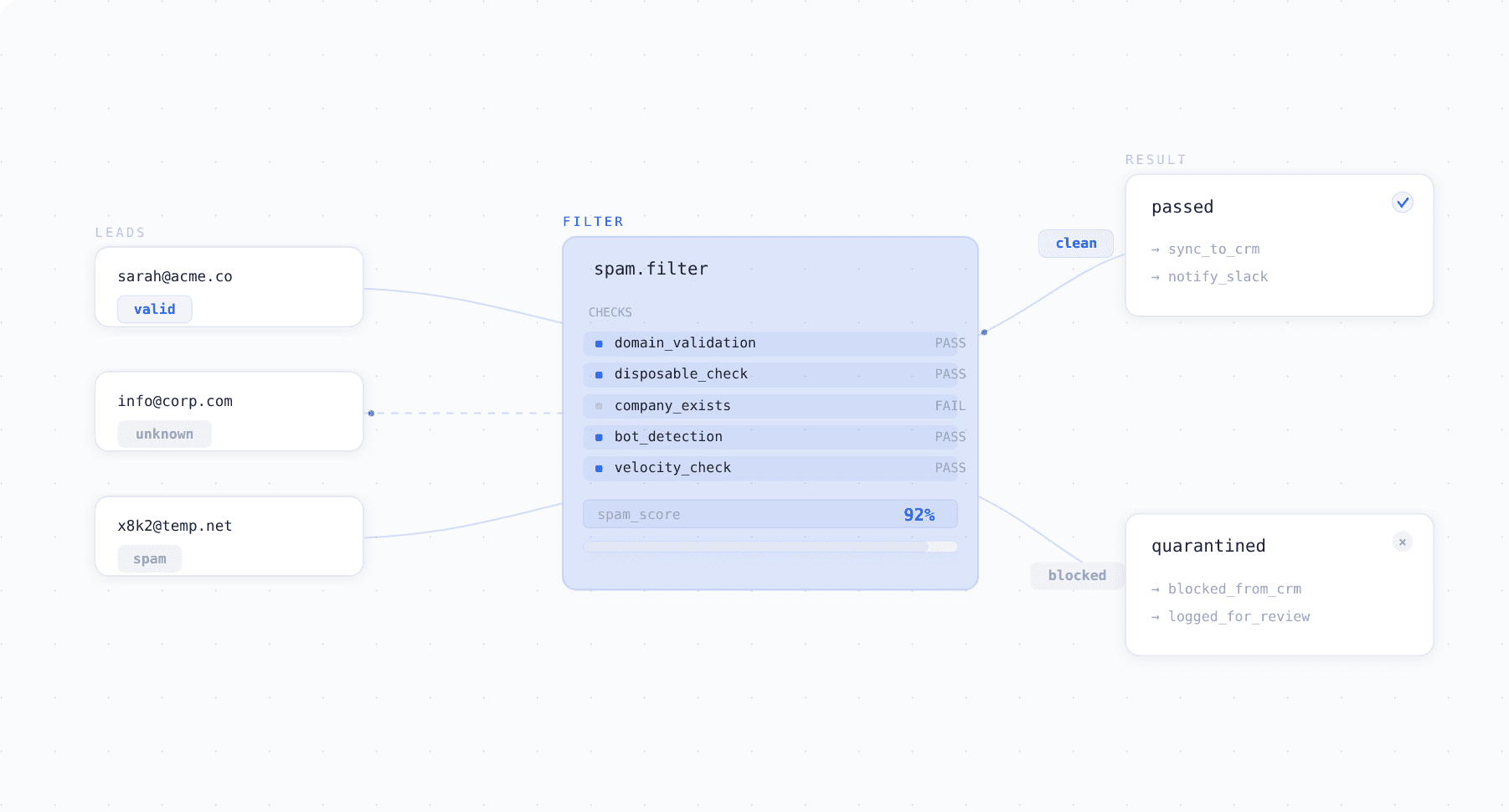
Surface now filters spam submissions automatically before they reach your CRM or trigger any workflows.
The Problem
Anyone who's run inbound forms for more than a few months knows the pattern. You check your CRM in the morning and find a handful of submissions from the previous day that are clearly junk — asdfasdf@mailinator.com, someone who submitted the same form six times in a row, a "company name" field that just says "test."
The issue isn't just that junk submissions exist. It's what happens downstream. They get routed to reps, trigger nurture sequences, inflate your lead counts, and take up paid seats in your CRM. Most teams deal with this reactively — manually deleting bad records, building Zapier filters, or asking SDRs to eyeball every submission. None of that scales, and all of it happens after the junk has already entered your system.
We kept hearing this from Surface customers, so we built spam filtering directly into the submission pipeline.
What It Does
The core idea is straightforward: validate every submission at the moment it happens, before it gets written to your CRM or triggers any downstream workflows.
Here's what runs on each submission: Email validation. Surface checks every email as it's entered — verifying the domain exists, the format is valid, and it's not from a disposable provider like Mailinator or TempMail. Invalid emails are blocked instantly and the prospect is prompted for a work email.
Pattern detection. If the same email submits 10 forms in a minute, or we see a burst of identical entries from the same IP, it gets blocked or flagged automatically.
Content screening. Obvious test data in form fields — "test test test", "asdf", single-character entries — gets flagged for review rather than passed to your sales team.
Quarantine, not deletion. Nothing is permanently thrown away. Blocked submissions go to a quarantine view where you can review them and recover false positives.
What It Catches
| Type | Example | Handling |
|---|---|---|
| Disposable email domains | user@mailinator.com, name@tempmail.org | Blocked; prospect prompted for work email |
| Non-existent domains | name@fakecorp.xyz | Blocked at submission |
| Rapid repeated submissions | Same email, 10 submissions in 1 minute | Auto-blocked |
| Test/junk field data | "test test test", "asdf", "xxx" | Flagged for review |
| Bot patterns | Auto-generated strings, keyword stuffing | Quarantined |
| Sequential test entries | test1@co.com, test2@co.com, test3@co.com | Flagged as suspicious |
How It Fits Into the Rest of Surface
Spam filtering runs as the first step in Surface's submission pipeline, before lead scoring, enrichment, or routing. The sequence looks like this:
- Prospect submits a form
- Spam filter validates the submission — blocks, flags, or passes it
- Clean submissions proceed to enrichment (company data, firmographics, etc.)
- Lead scoring evaluates fit and intent
- Routing assigns the lead to the right rep or workflow
This ordering matters. If spam gets through to step 3, you're burning enrichment credits on junk data. If it reaches step 5, a rep wastes time on it. Filtering at step 2 means everything downstream operates on clean data.
For existing Surface customers, this doesn't require rebuilding your workflows. Spam filtering slots in automatically — just enable it and optionally configure your domain allowlists/blocklists.
Configuration
Out of the box, spam filtering works without any setup. The default settings block disposable email providers and flag obvious test data. If you want to customize:
Domain lists. Allowlist specific domains (useful if you have partners on unusual domains that might get flagged) or blocklist domains you know are problematic.
Free email handling. By default, Surface allows submissions from Gmail, Yahoo, Outlook, etc. If you're strictly B2B and only want work emails, you can toggle this to flag or block free email providers.
FAQ
Does this add latency to the form experience? No. Validation runs in milliseconds. From the prospect's perspective, the form behaves normally unless their email gets flagged, in which case they see an inline message asking for a work email.
What if a real lead gets blocked? Blocked submissions appear in the quarantine view. You can recover any submission with one click and it'll flow through to your CRM as if it had passed normally. Over time you can tune your allowlists to reduce false positives.
Is this on by default for new accounts? Yes. New Surface accounts have spam filtering enabled with default settings. You can disable it or customize it from the settings panel.
Can I see what's being filtered? Yes. The quarantine view shows every blocked and flagged submission, with the reason it was caught. You can also see aggregate stats — how many submissions were filtered over a given period, what the most common spam patterns are, etc.