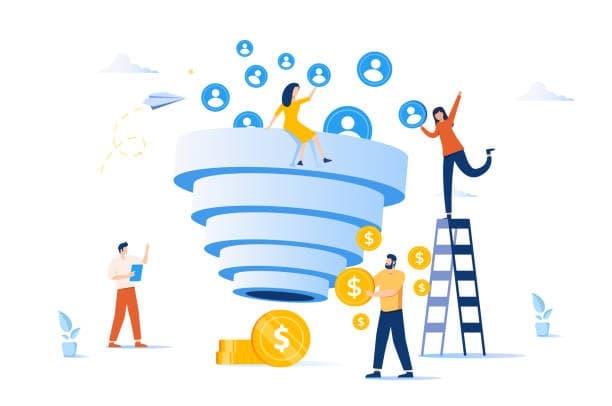
Inbound lead management is the system that captures, enriches, qualifies, and routes leads who reach out to your business—turning raw form submissions into booked meetings and pipeline. It's the operational layer between your marketing spend and your CRM, and it's where most B2B teams lose 20–40% of their potential revenue to slow follow-up, bad routing, and incomplete data.
This playbook covers the end-to-end lifecycle: from capturing partial submissions to real-time enrichment, scoring, routing, and automated follow-up—with specific workflows you can implement this week.
What is inbound lead management?
Inbound lead management is the process of capturing, enriching, qualifying, and converting potential customers who reach out to your business through forms, content downloads, demo requests, or other organic channels. Think of it as the operating system that sits between your marketing efforts and your CRM—the place where raw interest turns into qualified pipeline.
This is different from inbound lead generation. Generation is about attracting visitors to your site. Management picks up the moment someone raises their hand. Once a visitor fills out a form, what happens next? How fast do you respond? Who owns the follow-up? That's lead management.
Inbound leads vs. inbound prospects
A lead is anyone who gives you their contact information. A prospect is a lead you've confirmed as a potential fit for your product. The distinction matters more than it might seem.
When every form fill gets treated as "sales-ready," your reps drown in unqualified contacts. When every lead gets treated as "not ready yet," you lose high-intent buyers to competitors who moved faster. Getting this classification right is the foundation of everything else.
Why inbound lead management matters
Teams that respond to inbound leads within five minutesTeams that respond to inbound leads within five minutes are significantly more likely to qualify them compared to teams that wait 30 minutes or longer. Speed-to-lead isn't a vanity metric—it directly affects whether you win or lose the deal.
Beyond speed, poor lead management creates what's called leakage: leads that enter your system but never get follow-up, get routed to the wrong person, or sit in queues until interest fades. Even a small leakage rate compounds into meaningful lost revenue over a quarter.
Common symptoms your inbound system is broken
You might recognize a few of these patterns:
- Response times measured in hours: Leads submitted after 5pm sit untouched until the next morning.
- Leads stuck in limbo: No clear owner, no follow-up activity, no accountability.
- Sales cherry-picking: Reps work the leads that look easiest and ignore the rest.
- Volume without pipeline: Marketing celebrates MQL numbers while sales complains about quality.complains about quality.
If any of this sounds familiar, the problem usually isn't lead generation. It's what happens after capture.
How inbound lead management works
Inbound lead management follows a six-stage lifecycle. Each stage has a specific job, and the gaps between stages are where leads get lost.
Stage 1: Capture
Capture includes every touchpoint where someone provides information—demo request forms, content downloadsCapture includes every touchpoint where someone provides information—demo request forms, content downloads, webinar registrations, chatbot conversations, free trial signups. The goal is collecting enough data to take the next step without creating so much friction that visitors abandon the form.visitors abandon the form.
Here's an often-missed opportunity: partial submissions. When someone starts a form but doesn't finish, you can still capture the fields they completed (like email and company name) and follow up appropriately. Teams using partial capture typically recover 30–50% more leads from the same traffic.
Stage 2: Enrich
Before you decide what happens to a lead, you want complete data. Real-time enrichment appends firmographic details (company size, industry, location) and contact details (job title, seniority) the moment a lead submits.
This matters because routing decisions depend on data you often don't ask for on forms. If your routing logic uses company size but you don't collect it, you're either guessing or delaying while someone manually researches.
Stage 3: Qualify and score
Qualification answers two questions: Does this lead fit your ideal customer profile? And are they showing intent to buy?
- Fit scoring evaluates firmographic match—right company size, industry, job title.
- Intent scoringIntent scoring evaluates behavior—visited pricing page, requested demo, downloaded multiple assets.
A lead can be high-fit but low-intent (enterprise company browsing casually) or low-fit but high-intent (small startup ready to buy today). Your routing and follow-up can handle both scenarios differently.
Stage 4: Route
Routing assigns ownership and determines what happens next. The best routing is fast, fair, and auditable.
| Routing Pattern | Best For | Watch Out For |
|---|---|---|
| Round-robin | Equal distribution across reps | Doesn't account for rep capacity |
| Territory-based | Geographic or vertical specialization | Leads fall through when territories have gaps |
| Named accounts | ABM motions with existing relationships | Requires clean account matching |
| Hybrid | Complex sales motions | More rules to maintain |
The key is routing based on enriched data, not just what the lead self-reported. A lead who says they're "evaluating options" but works at a target account routes differently than the same response from a non-ICP company.
Stage 5: Follow up and nurture
Not every inbound lead is ready for a sales conversation. Your system benefits from two tracks:
- Immediate sales outreach: High-fit, high-intent leads (demo requests from ICP companies) get a call or personalized email within minutes.
- Nurture sequences: Lower-intent leads enter automated email sequences that provide value and resurface when engagement increases.
The handoff between tracks can be automatic. When a nurtured lead visits your pricing page or requests a demo, they route to sales immediately—no waiting for a weekly list review.
Stage 6: Measure and improve
Closed-loop measurement connects your lead management process to revenue outcomes. Without it, you're optimizing blind.
Operational KPIs to track:
- Speed-to-lead: Median time from submission to first touch
- SLA adherence: Percentage of leads contacted within your target window
- Lead leakage rate: Percentage of leads with no follow-up activity after 48 hours
Funnel KPIs to track:
- Lead-to-meeting rate: Percentage of inbound leads that book a meeting
- Meeting-to-opportunity rate: Percentage of meetings that create pipeline
- Source attribution: Which channels and forms drive the most pipeline (not just leads)
Building an inbound lead management process that scales
Here's a practical implementation sequence:
1. Define lead stages and handoff criteria
Start simple. You want clear definitions for when a lead moves from marketing ownership to sales ownership, and what qualifies a lead for immediate outreach versus nurture.
Avoid overcomplicating with too many stages. "New → Qualified → Working → Converted/Disqualified" covers most B2B scenarios.
2. Set SLAs for speed-to-lead
Document your target response times and make them visible. A common starting point: first touch within 5 minutes for demo requests, within 4 hours for content downloads.
Track adherence weekly. If you're missing SLAs consistently, the issue is usually routing complexity or rep capacity—not effort.
3. Standardize required data for routing
List every field your routing logic depends on. Then ensure those fields are either captured on the form or appended via enrichment before routing runs.
If your routing uses company size but you don't collect or enrich it, leads will misroute or default to a catch-all queue.
4. Build routing rules and exception paths
Map out your routing logic explicitly:
- High-intent ICP leads: Route to sales immediately
- High-intent non-ICP leads: Route to nurture or SDR for qualification
- Existing customers: Route to account owner or CSM
- Partners, competitors, students: Route to disqualification or separate handling
Document exception paths too. What happens when a lead matches no rules? Who owns the catch-all queue?
5. Automate follow-up triggers
Connect routing to action. When a lead is assigned, automatically create a task with a due date, trigger an email sequence, send a Slack notification to the owner, or book directly to calendar if using instant scheduling.
The goal is eliminating the gapThe goal is eliminating the gap between "lead assigned" and "lead contacted."
6. Create a lead recovery workflow
Build a specific workflow for leads that slip through: uncontacted after 24 hours, bounced emails, no-shows to scheduled meetings. These leads already showed intent—recovering even 20% of them adds meaningful pipeline.
Tip: Partial form submissions are a hidden recovery opportunity. If you capture email and company before abandonment, you can enrich and follow up with a helpful message. Teams using this approach often see 30%+ more leads from the same traffic.
Tools and tech stack for inbound lead management
Most teams cobble together forms, CRM workflows, enrichment vendors, and routing tools with Zapier or native integrations. This works until it doesn't—usually when speed matters most or when you're debugging why a lead got lost.
Minimum viable stack
For early-stage teams:
- CRM (HubSpot, Salesforce) for lead storage and basic workflows
- Forms (native CRM forms or a dedicated tool) for capture
- Basic enrichment (Clearbit, Apollo) for firmographic data
- Calendar scheduling (Calendly, HubSpot meetings) for booking
Scaling stack
As volume grows, you'll likely want:
- Dedicated routing logic that handles complex rules without brittle automation
- Real-time enrichment that runs before routing, not after
- Unified lead data that dedupes, tracks attribution, and connects to revenue
- Automated follow-up that triggers sequences without manual intervention
The patchwork problem is real. When your forms, enrichment, routing, and follow-up live in separate tools connected by Zapier, you lose speed, create data gaps, and spend ops cycles maintaining integrations instead of optimizing conversion.
Modern lead data platforms like Surface Labslead data platforms like Surface Labs consolidate capture, enrichment, routing, and follow-up into one system—so leads move from form submission to sales outreach in seconds, not hours.
FAQs about inbound lead management
What is the 5-minute rule for leads?
The 5-minute rule refers to research showing that leads contacted within five minutes of submitting a form convert at significantly higher rates than leads contacted later. After 30 minutes, qualification rates drop dramatically. Speed is a conversion lever, not just a nice-to-have.
How many touchpoints does it take to convert an inbound lead?
It varies by deal complexity, but most B2B leads require 6–8 touches across multiple channels before converting to a meeting. High-intent leads (demo requests) may convert in 1–2 touches, while content downloaders often require sustained nurture.
Can you automate inbound lead management completely?
You can automate capture, enrichment, scoring, routing, and initial follow-up. What you can't automate well: discovery conversations, objection handling, and relationship building. The goal is automating operational work so humans can focus on conversations that actually close deals.
Why do inbound leads go cold even when interest is high?
Usually one of three reasons: slow response (interest fades), poor routing (wrong rep or no rep), or generic follow-up (doesn't acknowledge what the lead actually requested). Fixing operational gaps often matters more than generating more leads.
Want to see where your inbound leads are leaking? Surface Labs helps B2B teams capture more leads (including partial submissions), enrich in real-time, and route to sales in seconds—not hours.