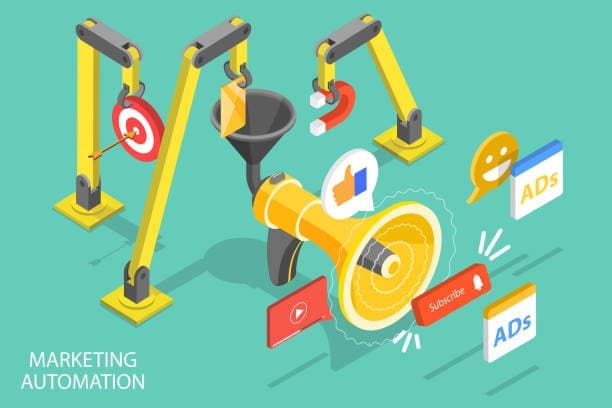
Most B2B teams automate email nurture and call it inbound marketing automation. Meanwhile, 40% of their demo requests go untouchedMost B2B teams automate email nurture and call it inbound marketing automation. Meanwhile, 40% of their demo requests go untouched for more than 24 hours—and half of those leads never respond when someone finally reaches out.
Inbound marketing automation is the system that captures, qualifies, routes, and follows up with leads who come to you, without manual work at every step. This playbook covers the end-to-end workflow from form submission to booked meeting, including the eight automations that have the biggest impact on pipeline.
What is inbound marketing automation?
Inbound marketing automation uses software to handle repetitive tasks involved in capturing and nurturing leads who come to you—email sequences, lead scoring, data updates, and personalized content delivery based on user behavior. Instead of manually following up with every form submission or webinar registrant, automation handles the routine work so your team can focus on conversations that actually move deals forward.
Here's what makes inbound automation different from general marketing automation: it's specifically designed for the leads already raising their hands. You're not blasting cold lists. You're systematically converting people who visited your pricing page, downloaded your guide, or requested a demo.
Inbound marketing vs. marketing automation vs. inbound marketing automation
Inbound marketing is the strategy—creating content and experiences that attract prospects to you rather than interrupting them with cold outreach. Marketing automation is the technology that executes tasks at scale, like sending emails or updating CRM records.
Inbound marketing automation combines both. It's the operational system that captures inbound demand and converts it into pipeline through automated workflows, scoring, routing, and follow-up.
Where it fits in the funnel
Most teams automate top-of-funnel activities (content distribution, lead capture) and mid-funnel nurture sequences. However, the biggest leakage typically happens at the handoff between marketing and sales—when a demo request sits untouched for 48 hours, or when a high-intent prospect gets routed to the wrong rep.handoff between marketing and sales—when a demo request sits untouched for 48 hours, or when a high-intent prospect gets routed to the wrong rep.
The conversion layer between "lead captured" and "meeting booked" is where automation delivers the highest ROI. Speed-to-lead, accurate routing, and timely follow-up directly determine whether inbound demand turns into pipeline or disappears.
How inbound marketing automation works
Understanding the end-to-end flow helps you spot where your current setup might be losing leads. Here's the typical lifecycle from first touch to booked meeting.
Step 1: Capture
Every inbound motion starts with a capture point—forms, chat widgets, calendar embedsEvery inbound motion starts with a capture point—forms, chat widgets, calendar embeds, webinar registrations, or product signup flows. The goal is collecting enough information to qualify and route the lead without creating so much friction that visitors abandon.
Two approaches increase capture volume significantly:
- Progressive profiling: Asking for more data over multiple interactions rather than all at once
- Partial submission capturePartial submission capture: Saving responses even when forms aren't completed, so you can follow up with visitors who dropped off
Step 2: Enrich
Before scoring or routing anything, enrich the lead record with firmographic data (company size, industry, tech stack) and intent signals. Real-time enrichment prevents misroutes—you won't accidentally send an enterprise prospect to an SMB queue because they used a personal email address.Real-time enrichment prevents misroutes—you won't accidentally send an enterprise prospect to an SMB queue because they used a personal email address.
Enrichment also fills gaps the visitor didn't provide, which means you can reduce form fields while improving data quality. Many teams skip or delay enrichment, then wonder why their scoring and routing feel inaccurate.
Step 3: Qualify
Lead scoringLead scoring assigns points based on fit (does this company match your ideal customer profile?) and intent (are they showing buying signals?). Simple models use rules—job title plus company size plus page visits. More sophisticated setups incorporate predictive scoring.
The key is operationalizing your scores. A score that sits in a field but doesn't trigger any action is just data. Define thresholds that automatically move leads to the next stage or alert sales when someone crosses into "hot" territory.
Step 4: Route
Routing determines who owns the lead and how quickly they're contacted. Common approaches include:
- Round robin: Distribute evenly across available reps
- Territory-based: Assign by geography, company size, or industry
- Named accounts: Override other rules for strategic accounts
- Fallback logic: Reassign if the owner doesn't respond within your SLA
Speed matters here more than most teams realize. Responding within 5 minutes versus 30 minutes can dramatically increase contact rates—the difference between catching someone while they're still thinking about your product versus reaching them after they've moved on.
Step 5: Follow up
Automated follow-up sequences ensure leads hear from you even when reps are busy or offline. The best sequences are multi-channel (email plus LinkedIn plus phone) and personalized based on the lead's behavior and enrichment data.
AI-assisted follow-upAI-assisted follow-up can handle initial outreach and qualification questions, then escalate to humans when the conversation requires it. The guardrail: automated messages still need to feel relevant, not robotic.
Step 6: Measure
AttributionAttribution connects your automation workflows to revenue outcomes. You want visibility into which sources and campaigns generate pipeline (not just leads), where leads drop off in the funnel, how long each stage takes, and which reps convert at the highest rates.
Without clean attribution, you're optimizing blind. Wire your workflows to update CRM fields and create reporting that ties inbound activity to closed-won revenue.
Core capabilities to prioritize
When evaluating your current stack or considering new tools, focus on capabilities rather than specific vendors:
| Capability | Why it matters |
|---|---|
| Partial submission capture | Recovers leads from form abandonment |
| Real-time enrichment | Enables accurate scoring and routing before human touch |
| Flexible lead scoring | Aligns marketing and sales on qualification criteria |
| Configurable routing logic | Handles territories, round robin, named accounts, and SLAs |
| Multi-channel follow-up | Reaches leads where they're most responsive |
| End-to-end attribution | Proves ROI and identifies optimization opportunities |
The common mistake is treating each capability as a separate tool that doesn't talk to the others. Forms in one system, enrichment in another, routing in a third, follow-up in a fourth—each handoff introduces latency and data loss.
8 inbound marketing automation workflows
Here are the highest-impact workflows for B2B teams. Each includes the trigger, logic, and primary metric to track.
1. Instant demo request routing
Trigger: Demo form submission Logic: Enrich immediately → score for fit → route to available rep based on territory → send calendar link → start SLA timer → reassign if no response in 5 minutes Metric: Time from submission to meeting booked
This is your highest-intent workflow. Every hour of delay costs you meetings.
2. Form abandonment recovery
Trigger: Partial form submission (email captured, form not completed) Logic: Save partial data → enrich → send contextual follow-up within 1 hour → route to SDR if high fit Metric: Recovered leads converted to meetings
3. Pricing page intent escalation
Trigger: Visitor views pricing page 2+ times or spends 60+ seconds Logic: Identify visitor (via enrichment or form history) → alert SDR in Slack → create task in CRM → trigger personalized outreach Metric: Speed-to-lead on high-intent visitors
4. Content download qualification fork
Trigger: Gated content download Logic: Enrich → segment by company size (enterprise vs. SMB) → enterprise leads get fast-tracked to SDR, SMB enters automated nurture Metric: MQL-to-SQL conversion rate by segment
5. Webinar show/no-show branches
Trigger: Webinar registration Logic: Sync attendance data → attendees who asked questions get immediate SDR outreach → other attendees enter post-event nurture → no-shows get replay sequence Metric: Post-event meeting rate
6. Score-triggered sales acceptance
Trigger: Lead score crosses threshold Logic: Create sales-accepted lead (SAL) → assign owner → notify via Slack → create follow-up task → if no action in 24 hours, escalate to manager Metric: SAL-to-opportunity conversion rate
7. Lead-to-account matching
Trigger: New lead creation Logic: Match to existing account by email domain → if match found, assign to account owner → if new account, apply standard routing → dedupe against existing contacts Metric: Duplicate rate reduction, rep acceptance rate
8. AI-assisted follow-up with guardrails
Trigger: New lead assigned to rep Logic: AI drafts personalized first touch using enrichment data → rep reviews and sends (or AI sends automatically for lower-priority leads) → AI handles initial replies → escalates to human when buying signals detected Metric: Reply rate, meetings booked per sequence
Tip: Start with workflows 1 and 2—demo routing and form abandonment recovery. Both address your highest-intent leads and biggest leakage points.
Implementation roadmap
You don't have to rebuild everything at once. Here's a phased approach that most teams can execute without disrupting current operations.
Days 1–30: Audit and define Map your current lead flow from capture to meeting. Document lifecycle stages and definitions. Identify the biggest drop-off points. Align with sales on SLAs and routing rules.
Days 31–60: Build the conversion layer Implement or upgrade forms with partial capture. Add real-time enrichment before routing. Configure routing logic for demo requests first. Set up SLA monitoring and alerts.
Days 61–90: Optimize A/B test form fields and friction points. Calibrate scoring based on sales feedback. Build attribution reporting. Expand to secondary workflows like content downloads and webinars.
Measuring ROI
Leadership wants to know: is this worth the investment? Here's how to frame it.
Leading indicators tell you if the system is working:
- Speed-to-lead (time from submission to first touch)
- Form conversion rate
- Partial submission recovery rate
Lagging indicators connect to revenue:
- Lead-to-meeting conversion rate
- Sales acceptance rate
- Pipeline influenced by inbound
- Revenue attributed to inbound sources
Simple ROI model: (Incremental meetings per month × meeting-to-opportunity rate × win rate × average deal size) minus automation costs equals net impact.
If you're currently converting 10% of demo requests to meetings and automation lifts that to 13%, the math gets compelling quickly at any reasonable deal size.
FAQ
How long does implementation take?
Most teams can implement core workflows (demo routing, enrichment, basic scoring) in 2–4 weeks. Full optimization including attribution and secondary workflows typically takes 60–90 days.
Which platforms work for inbound marketing automation?
HubSpot, Marketo, Pardot, and ActiveCampaign are common starting points. The gap is usually in the conversion layer—routing, enrichment, and speed-to-lead—which often requires additional tools or a platform that specializes in that handoff.
Can small teams manage this effectively?
Yes—automation actually benefits smaller teams more because it eliminates manual work that would otherwise require headcount. Start with 2–3 high-impact workflows rather than trying to automate everything at once.
What's the difference between lead scoring and lead routing?
Scoring determines lead quality (fit plus intent). Routing determines ownership (who works the lead). Scoring informs routing—high scores might skip the SDR queue and go directly to AEs—but they're separate functions in your workflow.
Build automation where it converts
The biggest gains in inbound marketing automation come from fixing the conversion layer: capturing more leads (including partials), enriching before routing, assigning instantly, and following up while intent is hot.
Start with your demo request flow. Measure speed-to-lead and lead-to-meeting rate. Then expand to recovery workflows and secondary capture points.
Ready to see where your inbound funnel is leaking? Book a teardown and we'll map your current flow, identify drop-off points, and show you where automation will have the biggest impact.