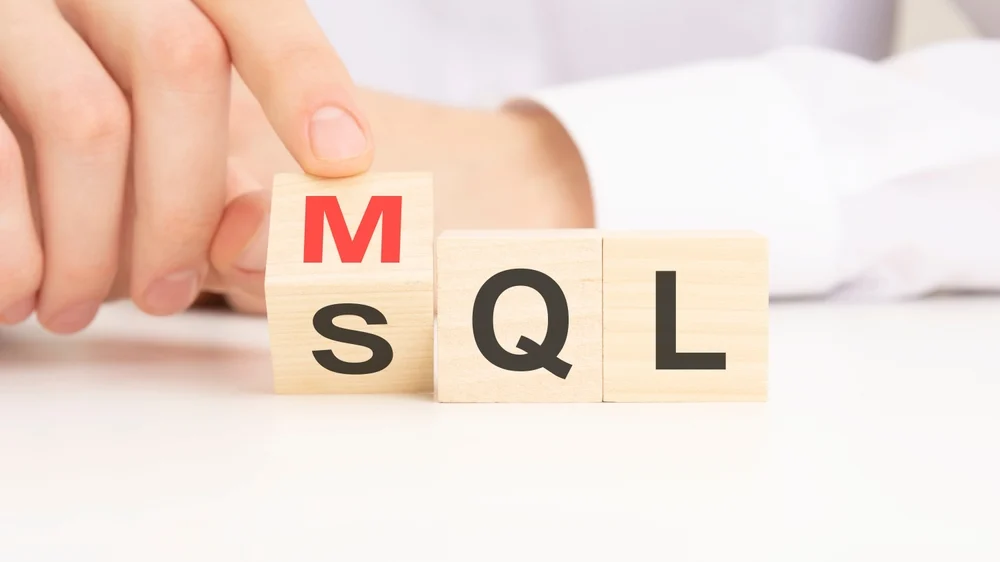
MQL stands for marketing qualified lead—a prospect who has engaged with your marketing but isn't ready to buy yet. SQL stands for sales qualified lead—someone who has been vetted and is ready for a direct sales conversation. The difference comes down to intent and readiness: MQLs are researching, SQLs are evaluating.
Getting this distinction right matters because it determines who owns the lead, what happens next, and whether your sales team wastes time on prospects who aren't ready. This guide covers the definitions, criteria examples, and the operational workflow that actually improves MQL-to-SQL conversion.
What is an MQL (marketing qualified lead)?
MQL stands for marketing qualified lead. It refers to a prospect who has engaged with your marketing efforts and meets criteria that suggest they're more likely to become a customer than a random website visitor. The key distinction here: an MQL has shown interest, but they're still in the research or awareness stage. They're not ready for a sales pitch yet.
Marketing teams own MQLs. The job is to nurture them with helpful content—guides, webinars, case studies—until they signal stronger buying intent. Think of an MQL as someone browsing the shop window. They're curious, maybe even interested, but they haven't walked in to ask about pricing.
Common MQL criteria and examples
MQL criteria typically break into two buckets: fit and intent.
- Fit signals: Company size matches your ideal customer profile, relevant industry, appropriate job title, geographic location you serve
- Intent signals: Downloaded a whitepaper, attended a webinar, visited your pricing page more than once, subscribed to your newsletter
Here's a concrete example. A marketing manager at a 200-person software company downloads your "Guide to Lead Routing." They match your target profile and they've taken an action that shows interest. That's an MQL. They haven't asked to talk to sales, but they're worth paying attention to.
What is an SQL (sales qualified lead)?
SQL stands for sales qualified lead. An SQL is a prospect who has been vetted and is ready for direct sales engagement. Unlike MQLs, SQLs have demonstrated specific buying intent. They're not just researching—they're actively considering a purchase. based on purchase intent signals.
SQLs sit closer to the bottom of the funnel. They've either requested a demo, asked about pricing, or been validated by a sales development rep (SDR) as having real potential to close. If an MQL is someone browsing the window, an SQL is someone who walked in and asked how much the product costs.
Common SQL criteria and examples
SQL criteria focus on readiness and validation rather than just engagement.
- Explicit buying signals: Requested a product demo, started a free trial, asked about pricing or contract terms
- Qualification confirmation: Confirmed budget exists, identified a timeline, has decision-making authority
- Validated contact info: Real business email, verified phone number, enriched company data
A director of revenue operations fills out your demo request form. They confirm they're evaluating solutions this quarter and work at a company in your target segment. That's an SQL—someone sales can pursue with confidence.
MQL vs SQL: key differences
The core difference between MQLs and SQLs comes down to buying intent and funnel position. MQLs are exploring options. SQLs are evaluating solutions.
| Feature | MQL | SQL |
|---|---|---|
| Buying intent | Interested in the topic, not ready to buy | Ready for a sales conversation |
| Funnel stage | Top-to-middle (research phase) | Middle-to-bottom (decision phase) |
| Typical engagement | Content downloads, webinars, blog visits | Demo requests, pricing inquiries, trial signups |
| Owned by | Marketing team | Sales team |
| Next action | Nurture with content | Direct outreach and qualification call |
What comes first, MQL or SQL?
MQL typically comes first. A lead engages with marketing content, gets nurtured over time, and eventually shows enough buying intent to become an SQL.
That said, some leads skip the MQL stage entirely. A demo request from a perfect-fit company with clear intent might go straight to SQL status. Your process can accommodate both paths—the linear journey and the shortcut.
Do MQLs always become SQLs?
No, and that's completely normal. Many MQLs require extended nurturing. Some get disqualified because they're the wrong fit, lack budget, or have bad timing. Others simply go cold.
A healthy system captures rejection reasons and recycles leads appropriately. Someone who's "not ready now" might be ready in six months. You want a re-engagement path, not a dead end.
Why buyer journeys aren't linear anymore
The traditional funnel assumes everyone moves neatly from awareness to consideration to decision. Reality looks messier.
Modern B2B buyers research across multiple channels. They involve buying committees with different stakeholders. They revisit your site weeks apart, engage with competitors simultaneously, and often make decisions through conversations you never see. A prospect might download content, disappear for a month, then suddenly request a demo.
This means MQL and SQL work better as states based on evidence rather than mandatory sequential stages. Your qualification system captures signals wherever they appear and routes leads based on what you actually know about them—not where they "should" be in a theoretical funnel.
How leads move from MQL to SQL
Even though journeys aren't perfectly linear, you still want a clear operational workflow. Here's how the handoff typically works in practice.
1. Capture intent including partial form submissions
Every form submission is a signal, even incomplete ones. If someone fills in their email and company name but abandons before finishing, that's still valuable data you can act on.
Modern form tools capture partial responsesModern form tools capture partial responses, enrich them with company data, and trigger follow-up workflows automatically. This matters because a significant portion of form starters never complete the full submission. Without partial capture, those leads simply vanish.those leads simply vanish.
2. Enrich before you route
Routing based on incomplete data causes problems. SDRs waste time on leads that don't match your ideal customer profile. High-value leads get assigned to the wrong rep. Everyone gets frustrated.
Before a lead hits sales, you want key data points filled in: company size, industry, tech stack, revenue range, and any available intent signals. Real-time enrichment makes this automatic rather than manual, so leads arrive with context attached.Real-time enrichment makes this automatic rather than manual, so leads arrive with context attached.
3. Qualify with scoring
Lead scoringLead scoring assigns points based on fit and behavior, then triggers actions when thresholds are met.
- Rules-based scoring works well when your ideal customer profile is clear and your funnel is straightforward
- AI-assisted scoring handles edge cases better, adapts to changing patterns, and can weigh signals you might not have considered
The goal is consistent, defensible decisions about which leads deserve sales attention right now versus which ones stay in nurture.
4. Route instantly with context
Speed matters more than most teams realize. Leads contacted within minutes of a form submission convert at higher rates than leads contacted hours later. The difference can be significant.
Your routing logic might consider territory, company segment, product interest, or rep capacity. What matters most is that routing happens immediately and includes enough context for the rep to have a relevant first conversation.
Tip: Set SLA timers with alerts. If a high-intent lead sits unworked for more than 15 minutes, someone on your team gets notified.
5. Create a closed-loop feedback system
When sales accepts or rejects a lead, that information flows back to marketing. Structured rejection reasons—"not ICP," "competitor," "no budget," "bad data"—help you refine scoring and targeting over time.
Leads that aren't ready now go into nurture tracks with re-qualification triggers. Maybe they re-engage with high-intent content in three months, and the cycle starts again.
How to define MQL and SQL criteria for your organization
Generic definitions don't work. Your criteria depend on your sales motion, deal size, and team capacity.
Minimum data requirements before routing
Before a lead reaches sales, you typically want:
- Verified business email: Not personal domains like Gmail or Yahoo
- Company name and size: To confirm fit with your ideal customer profile
- Job title or function: To assess whether they have authority or influence
- Intent signal: What action triggered the lead
- Source attribution: Where they came from
The more complete the data, the better the first conversation. Enrichment tools can fill gaps automatically so reps don't waste time researching.
Example criteria by segment
High-velocity SMB inbound:
- MQL: Business email + company under 200 employees + downloaded content or visited pricing page twice
- SQL: Demo request or trial signup with verified contact info
Mid-market demo-driven:
- MQL: Director+ title + company 200-2,000 employees + engaged with product content
- SQL: Demo request + confirmed use case + timeline within 6 months
Enterprise/ABM mixed motion:
- MQL: Target account + any engaged contact + multiple touchpoints
- SQL: Meeting booked with economic buyer or champion + validated by SDR
Improving MQL-to-SQL conversion
Here's what actually moves the conversion number:
- Reduce lead loss: Capture partial form submissions and trigger enrichment even on incomplete data
- Increase data completeness: Enrich and verify before routing so sales gets actionable leads
- Speed up follow-up: Respond to high-intent leads in minutes, not hours
- Improve routing accuracy: Segment by intent and fit Segment by intent and fit, not just round-robin assignment
- Close the feedback loop: Use rejection reasons to refine scoring and targeting
Benchmarks worth tracking
MQL-to-SQL conversion rate is just one metric. A complete picture includes several other measurements.
- Speed-to-lead: Minutes from form submission to first outreach
- Contact rate: Percentage of leads you actually reach
- Sales acceptance rate: Percentage of MQLs that sales agrees are qualified
- Meeting set rate: Percentage of SQLs that book a call
- Lead-to-opportunity: How many leads become real pipeline
Scale considerations
At 50+ inbound leads per day, manual processes break down. You'll likely want automated deduplication to prevent multiple reps working the same account. Capacity-based routing ensures no rep gets overwhelmed. After-hours coverage or next-business-day SLAs with alerts keep leads from going stale. And enrichment that runs in real-time prevents bottlenecks.
Tools that automate MQL-to-SQL workflows
The right tooling handles capture, enrichment, scoring, routing, and follow-up as one connected system rather than a patchwork of point solutions.
Capabilities that matter:
- Partial response capture from forms
- Real-time enrichment and validation
- Flexible routing rules with ownership logic
- SLA timers and speed-to-lead automation
- CRM sync with proper field mapping
- Visibility into why leads were accepted or rejected
If your bottleneck is inbound capture, enrichment, and routing working together, Surface Labs connects these pieces. Forms capture partial submissions, enrichment runs in real-time, and automated routing triggers follow-up workflows—all in one system.
Aligning marketing and sales on definitions
Alignment isn't about more meetings. It's about shared systems and clear documentation.
- Shared definitions in your CRM: Everyone sees the same lifecycle stages and criteria
- Shared dashboards: Marketing and sales look at the same conversion metrics
- Documented SLAs: Response time expectations, rejection reason requirements, recycle rules
- Regular feedback loops: Sales tells marketing which leads convert and why others don't
A one-page SLA document that covers qualification criteria, routing logic, response time targets, and rejection categories prevents most alignment arguments before they start.
Frequently asked questions
What is a good MQL-to-SQL conversion rate?
Conversion rates vary significantly by segment and motion. High-intent demo request funnels might see 30-40%, while content-driven nurture funnels might see 5-10%. Track your own baseline and focus on improving it rather than hitting an arbitrary industry number.
How long does it take to convert an MQL to an SQL?
It depends on your sales cycle and lead source. Demo requests might convert same-day. Content MQLs might take weeks or months of nurturing. Measure your actual cycle times by segment so you can set realistic expectations.
Why does sales reject MQLs?
Common rejection reasonsCommon rejection reasons include: wrong fit for your ideal customer profile, missing or bad contact data, no budget or authority, already a customer or competitor, and spam or fake submissions. Tracking rejection reasons helps you fix upstream problems in targeting and qualification.
What data do you need before routing a lead to sales?
At minimum: verified business email, company name, and the intent signal that triggered the lead. Ideally, you also have company size, industry, job title, and any enrichment data that confirms fit. The more context sales has, the better the first conversation goes.
Turn more MQLs into SQLs with Surface Labs
Teams using Surface Labs see 30-50% lift in website conversions by capturing partial form submissions, enriching leads in real-time, and routing instantly with full context. If your inbound leads are leaking between form fill and sales follow-up, book a demo to see how the system works.