
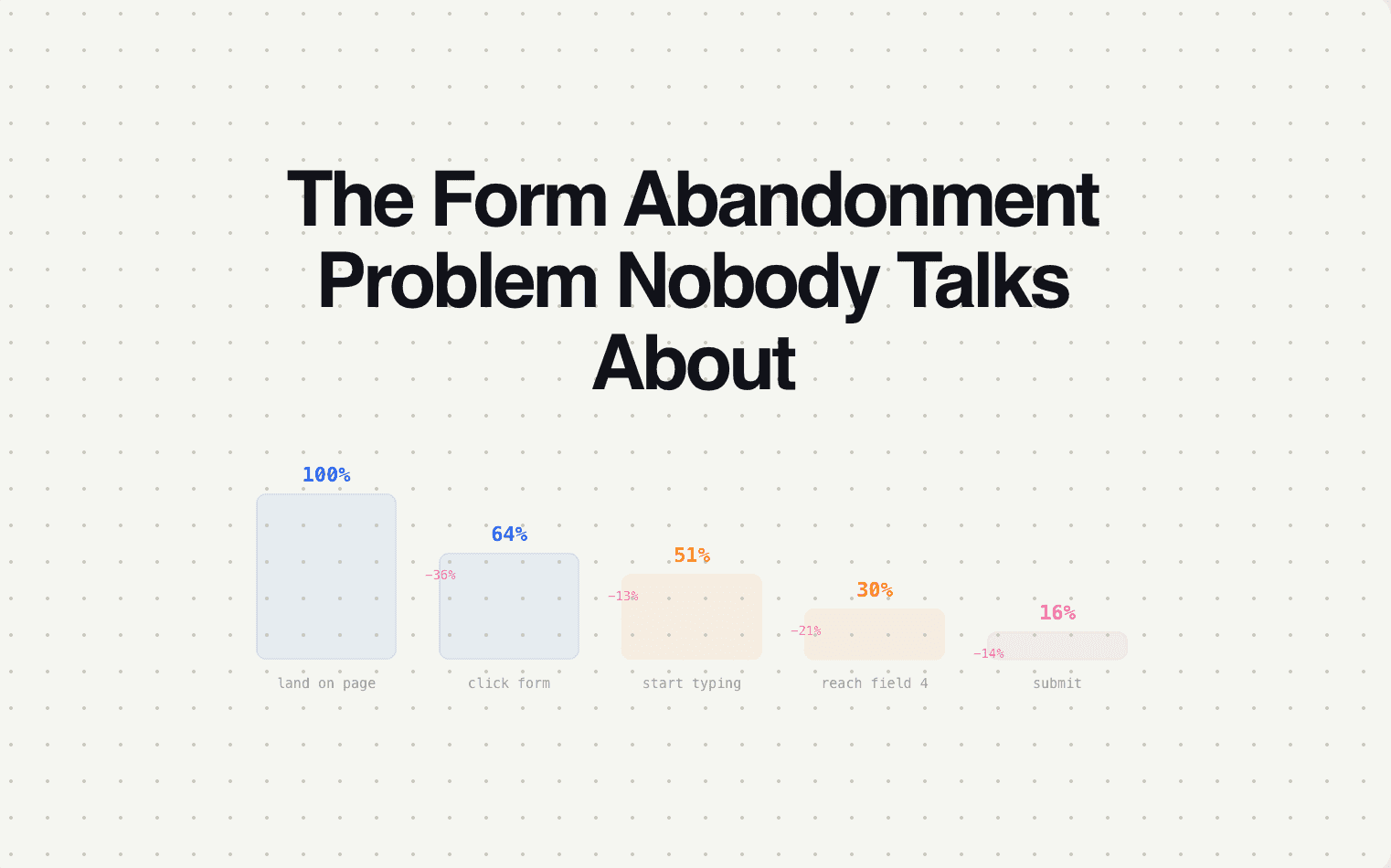
Here's a number most companies don't track: 25–50% of people who start filling out your form don't finish. They type their email, maybe answer the first question, and then leave. On mobile, the abandonment rate is even higher.
Those aren't cold visitors. Those are people who were interested enough to start engaging — and something stopped them. A form that was too long. A question that felt too personal too early. A page that loaded slowly. A phone that rang. A child that screamed.
Whatever the reason, they left. And at most companies, that data evaporates. The partial submission goes nowhere. No follow-up. No recovery. No acknowledgment that this person existed and showed intent.
If you're paying $50–$200 per click to drive traffic to a page with a form, and 30% of the people who start that form abandon it, you're burning 30% of your ad spend on leads that almost converted and got zero follow-up.
The scale of the problem by industry
| Industry | Average form start-to-completion rate | Typical monthly partial submissions (at 500 form starts) | Estimated revenue impact of recovering 20% |
|---|---|---|---|
| Law firms | 55–65% (complex intake) | 175–225 abandoned | At $2,000 average case value: $70K–$90K/year |
| Real estate | 60–70% | 150–200 abandoned | At $8,000 average commission: $240K–$320K/year |
| Insurance | 50–60% (long quote forms) | 200–250 abandoned | At $1,200 average annual premium: $48K–$60K/year |
| Home services | 65–75% (simpler forms) | 125–175 abandoned | At $500 average job: $12K–$17K/year |
| Healthcare | 60–70% | 150–200 abandoned | At $300 average patient lifetime value/year: $9K–$12K/year |
| B2B SaaS | 55–65% | 175–225 abandoned | At $18,000 average deal: $630K–$810K/year |
These aren't theoretical numbers. They're the realistic revenue impact of recovering just 20% of abandoned forms — which is achievable with a basic recovery sequence.
Why forms get abandoned
The reasons are predictable and mostly fixable:
Too many questions too early. A 15-field form on one page is intimidating. Multi-step forms with 2–3 questions per screen have 30–40% higher completion rates than single-page forms — because each step feels achievable.
Asking for sensitive information before building trust. Budget, phone number, and company revenue are necessary for qualification — but asking them on the first screen feels invasive. Move them to later steps, after the visitor has invested effort and answered easier questions.
No progress indication. If the visitor doesn't know how many steps are left, every step feels like it might be followed by five more. A progress bar or "Step 2 of 4" indicator reduces abandonment by setting expectations.
Mobile friction. Dropdowns that don't work well on mobile. Text fields that require typing long answers on a phone keyboard. Forms that don't resize for small screens. 60%+ of traffic is mobile — if the form isn't optimized for mobile, you're losing the majority of visitors.
Life happened. The visitor got distracted, their battery died, they got pulled into a meeting. They fully intended to finish but the moment passed. Without recovery, they never come back.
The recovery sequence
Recovery requires one thing: capturing partial data. If the visitor entered their email before abandoning, you can follow up. If they didn't, the opportunity is lost (unless you use cookied visitor identification on return visits).
Recovery email 1 (10–30 minutes after abandonment):
Subject: "You were almost done"
Body: Short, direct, helpful. "Looks like you didn't finish your [request/quote/application]. Here's a link to pick up where you left off — your answers are saved." Include the link. No upselling, no marketing, no extra content. Just make it easy to finish.
Recovery email 2 (24 hours):
Subject: "Still interested?"
Body: Slightly different approach. Offer an alternative: "If the form isn't convenient, reply to this email or call us at [number] and we'll complete it together." Some people abandoned because the form was the wrong format — give them a different option.
Recovery email 3 (72 hours):
Subject: "[Industry-specific value prop]"
Body: Add a reason to come back. For law firms: "The sooner you connect with an attorney, the stronger your case." For insurance: "Rates in your area change frequently — locking in a quote now protects your pricing." For SaaS: "Teams like yours are converting 2x more leads with this setup."
Recovery rates by industry
Companies implementing the three-email recovery sequence typically see:
| Industry | Recovery rate (abandoned → completed) | Why |
|---|---|---|
| Law firms | 18–25% | High urgency. People who started intake genuinely need legal help. |
| Insurance | 15–20% | Medium urgency. Price comparison motivates completion. |
| Real estate | 12–18% | Variable. Buyers with active timelines recover well; browsers don't. |
| Home services | 20–28% | Highest recovery. The problem (broken AC, leak) doesn't go away. |
| B2B SaaS | 15–22% | Depends on intent level. Demo requests recover better than content downloads. |
Where Surface fits
Surface captures partial submissions natively — any field the visitor completes before leaving is saved. Recovery sequences are built into the platform: configurable timing, industry-specific templates, and tracking from abandoned form through to completed submission and beyond.
If you're not recovering abandoned forms, you're losing 25–50% of your form-starting visitors with zero follow-up. Surface makes recovery automatic.